


ADT+
4.71.19K Reviews
App Specs
- Version
- 4.6.0.329951
- Updated On
- License
- Free
- Downloads
- 100,000+
- Developer
- ADT LLC ®
- Categories
- Lifestyle
- Platform
- Android
Screenshots
 Analysis by AppCompare
When I judge a home-security app, I look beyond the promise of protection and ask a more practical question: can I understand what is happening and make a sensible decision when I am distracted, tired, or away from home? ADT+ is ADT LLC ®’s free lifestyle app, and its appeal is the idea of managing a connected home-security setup from a phone rather than treating every device as a separate chore. It has an average rating of 4.7 from around 9,800 ratings, and more than 100,000 installs. Those figures suggest broad interest, but the right fit depends less on popularity than on whether you already use ADT and how comfortable you are handling security through a screen.
I find the most useful way to think about it is as a companion to an ADT security system, not as a stand-alone substitute for one. That distinction matters if you are comparing it with a basic camera app or a do-it-yourself smart-home dashboard. Those alternatives may be more suitable when you only want to view one camera or bring devices from different brands together. ADT+ makes more sense when the security setup itself is the center of the routine and you want one place to check in on it.
Readability and finding your way around
The published app is rated for Everyone, runs on Android 12 or later, and its current version is 4.3.0.328531. The age rating says who can access the app, not whether every person will find its controls equally easy to use. In my view, the key test is whether a household member can tell the difference between checking a status, responding to an alert, and changing a setting without feeling rushed.
The original description of the experience emphasizes a guided setup and straightforward menus. That is a promising starting point for people who are not especially technical, but simple navigation is most valuable when the app is used before a problem occurs. I would take a quiet moment to explore the main areas and learn where the controls you expect to use most often live. That small orientation can make a notification less confusing later.
Motor and sensory considerations
Phone-based security control can be convenient for someone who finds it easier to tap a familiar device than to walk to a wall panel, but it still depends on being able to operate a touchscreen and interpret what appears on it. If small controls or multi-step menus are difficult for you, try the app on your own device before relying on it as your main way to manage the system. A relative or housemate can also help you check whether the everyday actions feel manageable.
Alerts are helpful only when they reach you in a form you can notice and understand. People who keep their phone muted, have difficulty hearing alerts, or find frequent notifications distracting should think through their own notification habits instead of assuming a phone will always get their attention. I would choose a routine that fits how I actually use my phone, then make sure another person in the household knows what to do if I miss a message.
Using it in the middle of ordinary life
A realistic use case is leaving home in a hurry and wanting to check the security setup after reaching work. A quick look at the app may be more convenient than turning back, provided the system is already configured and you know how to read the status it presents. That makes the app useful as a reassurance tool, but I would not treat a glance at a screen as proof that every door, device, or situation is exactly as intended.
Worth Reading Before You Choose

Flipboard Shows What News Apps Must Do Beyond the Feed

Switching to Android Auto Means Rethinking Your Driving Routine

Google Calendar Makes a Crowded Week Easier to Manage

Ludo King Makes the Most of the Minutes Between Plans

Baby Panda World Brings Quick Play to Modern Phones, but Its Game Library Feels Busy

ESPN’s Live Game View Makes Following Close Games Easier
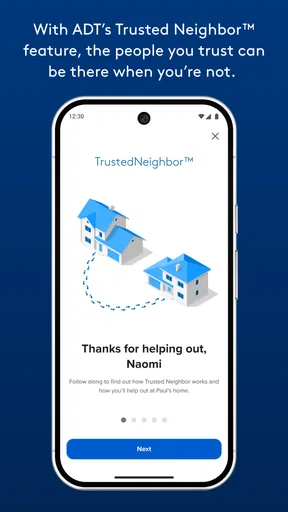
For a household with more than one person, the useful question is not only who can open the app, but who is expected to respond when something appears. Agreeing on a simple division of responsibility ahead of time can prevent two people from assuming the other has checked an alert. It also helps to decide which changes should be made by everyone and which should be left to the person who manages the security setup.
Where it fits among security and smart-home apps
Many camera apps focus on viewing footage, while general smart-home apps are built to bring a mix of connected devices into one control surface. ADT+ sits closer to the security-system side of that choice. Its reported live video and smart-device controls can make it appealing if those functions are part of your ADT setup, but people choosing a system from scratch should compare the complete equipment and service arrangements, not just the phone interface.
There is a trade-off in that focus. A dedicated system app can feel more coherent when your security tools belong to the same setup, yet it may be less attractive to someone who wants a single, brand-neutral dashboard for a varied collection of devices. Before committing to a workflow, make a short list of what you expect to manage—such as checking a camera, adjusting a connected device, or reviewing an alert—and confirm that the equipment you use supports those tasks within your arrangement.
ADT+ is more likely to suit existing ADT users who want to handle routine checks from a phone. It is a weaker match for someone who only needs a simple standalone camera viewer, dislikes app-based controls, or is not planning to use an ADT security setup. The app is free, but that does not by itself describe the cost of any security equipment or service a household might choose; I would evaluate those separately rather than treating the app price as the total cost of home security.
Getting Started with ADT+
First things first, setting up ADT+ couldn't be simpler. Once you download it from the App Store or Google Play, you're greeted with a friendly interface that walks you through the setup process. Whether you're tech-savvy or not, the app makes it a breeze. I personally found the installation to be a piece of cake, and I was up and running in no time.
What really impressed me was the seamless integration with my existing ADT security system. If you're already using ADT, this app is a game changer. It syncs effortlessly, pulling in all your current settings and preferences. For those new to ADT, don't worry—setting up from scratch is just as painless.
Features That Stand Out
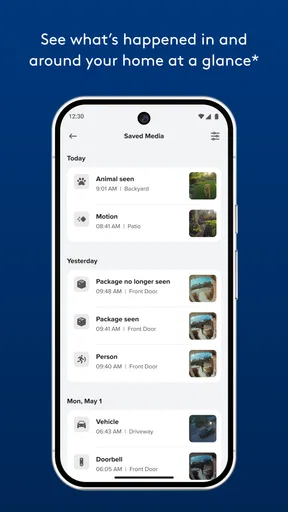
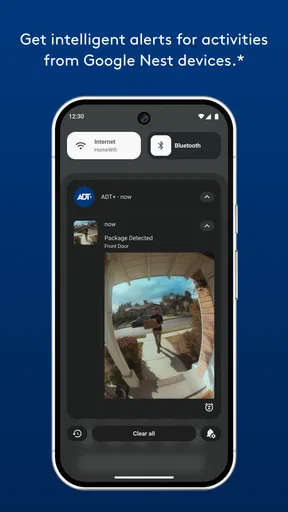
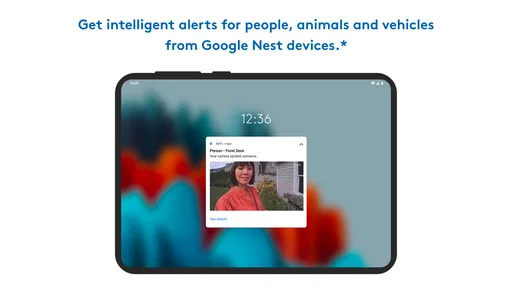
The app comes loaded with features designed to give you peace of mind. One of my favorites is the real-time alerts. Imagine getting a notification the instant something unusual is detected at your home. It's like having a personal security guard at your fingertips!
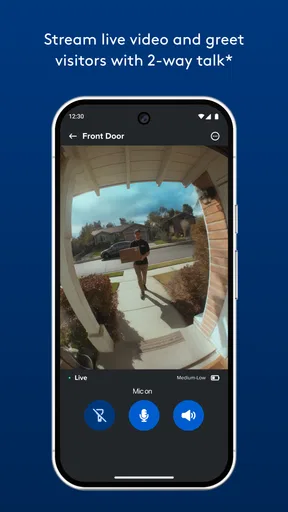
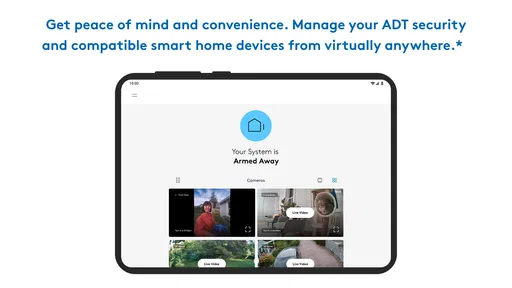
Another feature I find incredibly useful is the live video feed. You can check in on your home anytime, anywhere. Whether you're at work or on vacation, just open the app and see what's happening at home. It's reassuring to know you can keep an eye on things with such ease.
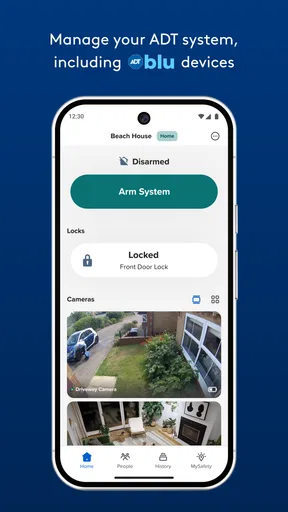
For those who enjoy a good gadget, the smart home integration is a treat. The app works with various smart devices, allowing you to control lights, locks, and thermostats. It’s about making your home not just safer, but smarter too.
User Experience and Design
When it comes to user experience, the app hits the mark. The app is intuitive, with a sleek design that’s easy on the eyes. Navigating through the menus is straightforward, and everything is exactly where you expect it to be. I especially appreciate the customization options that let you tailor the app to suit your needs.
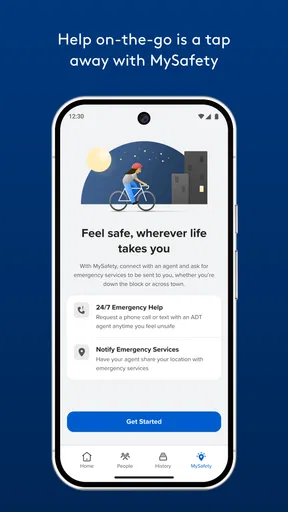
One thing that stands out is the customer support feature. With a simple tap, you can reach out for help. Whether you have a question or an issue, the support team is quick to respond, which is a huge plus in my book.
For a smoother first week, I would avoid changing several settings at once. Learn the usual status view, check how alerts appear on your phone, and then adjust the parts of the setup you actually want to personalize. This makes it easier to notice whether a change has had the effect you intended, rather than leaving you unsure which adjustment caused a new behavior.
Security and Privacy
We can't talk about a security app without addressing security and privacy, can we? The app takes this seriously. The app uses encryption to protect your data, ensuring your information and video feeds are secure. Plus, you have control over your privacy settings, so you decide what’s shared and what’s not.
I also like that the app sends reminders to update your security settings regularly. It’s a small touch, but it keeps you on top of things, ensuring your setup is always up to date.
For anyone wondering whether they can use it without learning a new routine, I would start by identifying the one or two checks that matter most at home and practicing those before relying on them while away. If several people share responsibility, make sure they understand the same basic steps. That is a practical safeguard against confusion, especially when one person is traveling or unavailable.
Remaining barriers and who should look elsewhere
A polished interface cannot remove every limitation of phone-based control. You need access to a compatible phone, enough confidence to interpret what the app shows, and an ADT setup that supports the tasks you want to perform. A person who does not want to depend on a smartphone, or who prefers a physical control as the primary interface, may be better served by a different arrangement or by keeping another familiar way to manage the home.
Likewise, people who mainly want broad compatibility across assorted smart-home brands should compare their options carefully. The app’s strengths are tied to managing an ADT-centered setup; that focus is helpful for some households and a constraint for others. I would not choose it solely because a camera feed or smart-device control sounds appealing. The complete system and the everyday experience of the people who will use it matter more.
As ADT LLC ®’s lifestyle app, ADT+ is free to download and is available to an Everyone audience. I see the strongest case for it in a household already using ADT, where a clear mobile route to everyday security checks can reduce friction. The weaker case is for someone shopping only for a general-purpose smart-home controller or a standalone camera app.
A more inclusive everyday fit
My practical recommendation is to make the app part of a routine that does not rely on one person or one notification. Decide who checks the system, what a household member should do if they see something unexpected, and how to reach one another if the first person is unavailable. These are simple habits, but they make the app more useful across different schedules and levels of comfort with technology.
If you are helping an older relative or someone with limited dexterity use it, let that person try the real tasks they will need rather than merely watching a setup demonstration. Notice whether the screen is comfortable to read, whether taps feel manageable, and whether the wording makes sense to them. I would not assume that an app described as easy will work equally well for every individual; a short, patient trial is more informative than a general claim.
Final Thoughts
All in all, ADT+ offers a robust, user-friendly way to manage home security. It's packed with features that make you feel in control and secure without being overwhelming. Whether you're an existing ADT user or new to the security scene, this app is worth considering.
In a world where peace of mind is priceless, having an app like ADT+ at your fingertips is a game changer. It’s not just about keeping your home safe; it's about doing so with confidence and ease. So, if you're in the market for a home security solution, give ADT+ a try. Trust me, you won’t be disappointed.
My inclusive verdict is more measured: I would recommend it to an ADT household that values mobile access and can comfortably use a phone for routine checks, while encouraging everyone else to compare the full system with simpler or more flexible alternatives. The app’s strongest promise is convenience within that setup, not a guarantee that every person or home will find the same controls equally accessible.
Pros
- User-friendly interface for quick navigation.
- Offers a wide range of on-demand content.
- High-quality streaming with minimal buffering.
- Allows offline downloads for flexible viewing.
- Customizable parental controls for families.
Cons
- Limited availability of some popular shows.
- Subscription required for premium content.
- Occasional login issues reported by users.
- Some features exclusive to certain regions.
- Interface can be slow on older devices.
FAQs for ADT+
What is ADT+ and what features does it offer?
ADT+ is a comprehensive home security app that provides users with the ability to monitor and control their home security systems remotely. It offers features such as live video streaming, real-time alerts, smart home integration, and the ability to arm or disarm your security system from anywhere. It also includes automation options for lights, locks, and thermostats.
Is ADT+ compatible with all smart home devices?
ADT+ is compatible with a wide range of smart home devices, but not all. It integrates seamlessly with popular platforms like Google Assistant and Amazon Alexa, allowing voice control and automation. However, it's important to check the specific compatibility of your devices with ADT+ to ensure full functionality before purchasing or downloading the app.
How secure is my data with ADT+?
ADT+ prioritizes user security and privacy. The app uses advanced encryption protocols to safeguard your data, ensuring that all communications between your devices and the app are secure. Additionally, ADT+ follows strict data protection regulations, so you can trust that your personal information and home security footage are kept confidential and secure.
Does ADT+ require a subscription or additional fees?
ADT+ requires a subscription to access its full range of features. While the app itself is free to download, users must subscribe to a service plan with ADT to utilize the security monitoring and smart home integration services. The pricing varies depending on the level of service and features you choose, so it's wise to review the available plans before subscribing.
Can ADT+ be used without professional installation?
ADT+ can be used with systems that allow for DIY installation, providing flexibility for users who prefer to set up their own security systems. However, for those who desire a more comprehensive setup or are uncomfortable with installation, professional installation services are available. This ensures that all devices are correctly integrated and functioning optimally.


